Campaign creation
Visit the Campaign Creation Page
- Go to the Camelot dApp
- Navigate to the Ecosystem section at the bottom of the page
- Click on Create a Campaign to access the creation interface

Fill Out Campaign Details
1. Select AMM mode

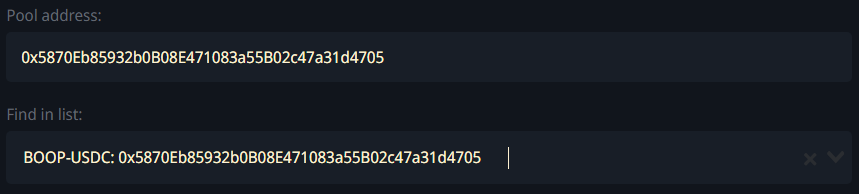
2. Select Pool Address
- Enter or Select: Manually input the pool address or choose one from the dropdown list provided
3. Set Date Range
- Future Date Required:
- Start date must be at least 3 hours in the future
- The end time will automatically align with the start time
- Minimum Duration: Campaigns must run for at least 24 hours

4. Specify Rewards Token and Amount
- Choose Token and Amount:
- Select the reward token from the dropdown
(If your desired reward token isn’t listed, contact us to have it whitelisted before creating your campaign) - Enter the reward amount, ensuring it meets the minimum daily requirement
- Select the reward token from the dropdown

warning
if the minimum daily reward for coin X is 50 tokens and you set the daily reward to only 30 tokens, the campaign will not be validated. This rule ensures that all campaigns meet a baseline value, preventing spam or low-quality campaigns from flooding the platform and maintaining fairness for participants
5. Apply Address Restrictions (Optional)
-
Blacklist/Whitelist:
- Use Blacklist Mode to exclude specific addresses from rewards
- Use Whitelist Mode to restrict rewards to specific addresses only

6. Additional Options (Optional)
- Customize Fees and Tokens:
- Set weights for Fees, TokenA, and TokenB to determine how rewards are distributed:
- Fees: Rewards are distributed based on fees generated by a position
- Token A: distributed based on holdings of token A in a position
- Token B: distributed based on holdings of token B in a position
- Set weights for Fees, TokenA, and TokenB to determine how rewards are distributed:
- The sum of Fees, Token A, and Token B must always equal 100%. No more, no less

info
Examples:
- Fees = 100%: Rewards are based entirely on fees generated. Token holdings have no impact
- Fees = 70%, TokenA = 10%, TokenB = 20%:
- 70% of rewards are based on fees generated
- 10% of rewards are based on token A holdings
- 20% of rewards are based on token B holdings
Confirm and Submit
- Review Inputs:
- Double-check all campaign details (pool, token, date range, restrictions, etc.)
- Confirm:
- Approve and confirm the transaction using your connected wallet to finalize the campaign



warning
Expect a short delay (up to several minutes) for new campaigns to appear on the interface
danger
Campaigns must meet all minimum requirements (e.g., min duration 24h, reward thresholds) to be valid