DuckChain

DuckChain is an advanced Layer 3 blockchain crafted to enhance DeFi and gaming within the TON ecosystem. Powered by Arbitrum Orbit technology, it delivers fast, cost-efficient, and secure transactions. Fully compatible with Ethereum's Virtual Machine (EVM), DuckChain bridges TON and Ethereum, enabling seamless interoperability and improved liquidity. Its flexible design supports both permissioned and open environments, making it a practical solution for a variety of applications
Connect your wallet to DuckChain
Throughout this guide, we will assume that you are using the Metamask wallet since it is the one most people use, the process of setting up a wallet should be very similar regardless of the wallet you choose
- The first step is to open Metamask and select the network icon dropdown menu
- When the pop-up appears, click Add Network
- The Add a network page will open. Add the following details:
| Network name | DuckChain |
|---|---|
| RPC URL | https://rpc.duckchain.io |
| Chain ID | 5545 |
| Currency symbol | TON |
| Block explorer URL | https://scan.duckchain.io/ |
Once you're finished, click Save
- You are now connected to the DuckChain
Bridge to DuckChain
Tokens can be bridged to the DuckChain using the official Duck bridge or multi-chain Meson bridge
Gas on the DuckChain is paid in TON
Therefore, we recommend bridging it as the first token so you can process transactions
-
Visit the Duck bridge and connect your wallet
You will see the screen below:
-
Select the token/network and input the amount you want to transfer and click Deposit

- Input recipient DuckChain address or connect wallet and click Deposit
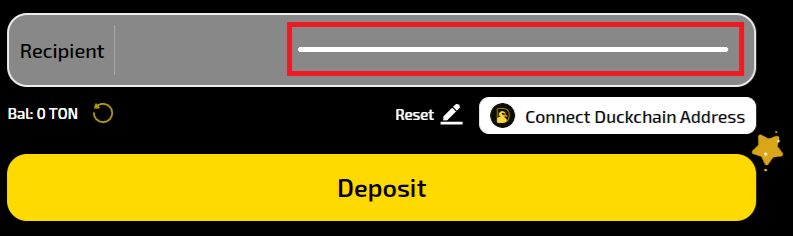
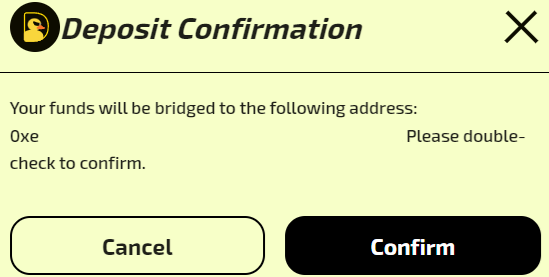
- Ensure that the recipient address is correct and confirm deposit
- After the deposit is succesfull, you will see a confirmation like the one shown below
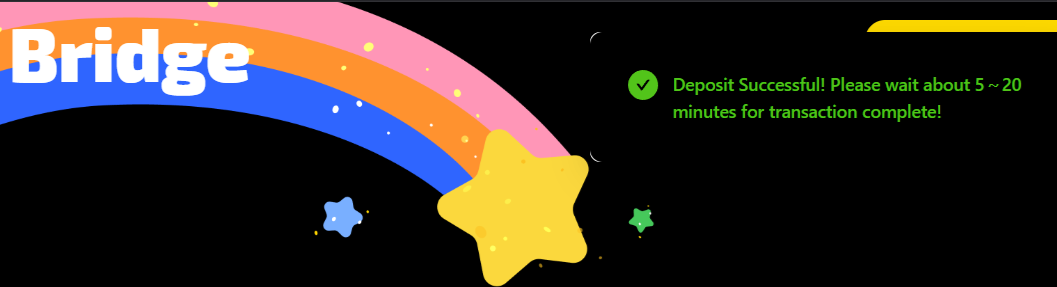
The bridging transfer should take approximately 5 - 20 minutes, but it may take longer during periods of high traffic